Point to note: Depending on your purchased theme, screenshots can vary.
By default, We've not added sidebar for single posts so that, customers can add sidebar as per their wish through 'Elementor'.
Please follow the below steps to add sidebar:-
1) Enable 'Elementor' for posts by following our tutorial:- https://radiantthemes.zendesk.com/hc/en-us/articles/360041705113-How-to-enable-Elementor-for-Custom-Post-Types
2) Go to any specific post and add sidebar by using the 'Sidebar' element.
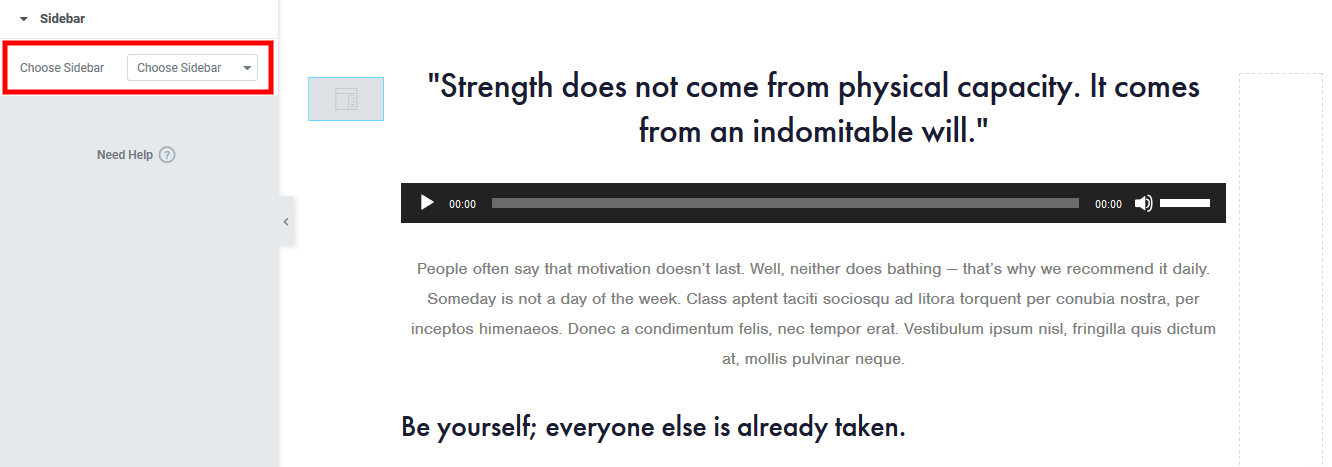
Point to note: Sidebars of 'Choose Sidebar' field (Highlighted section of the above screenshot) are coming from 'Appearance > Widgets'.
Comments
0 comments
Please sign in to leave a comment.